DoorHand Design Options
Mobile-first design concepts for the Austin property showing marketplace. Tap any mockup to zoom.
Hero / Homepage
First impression. Trust + clarity + speed to value.
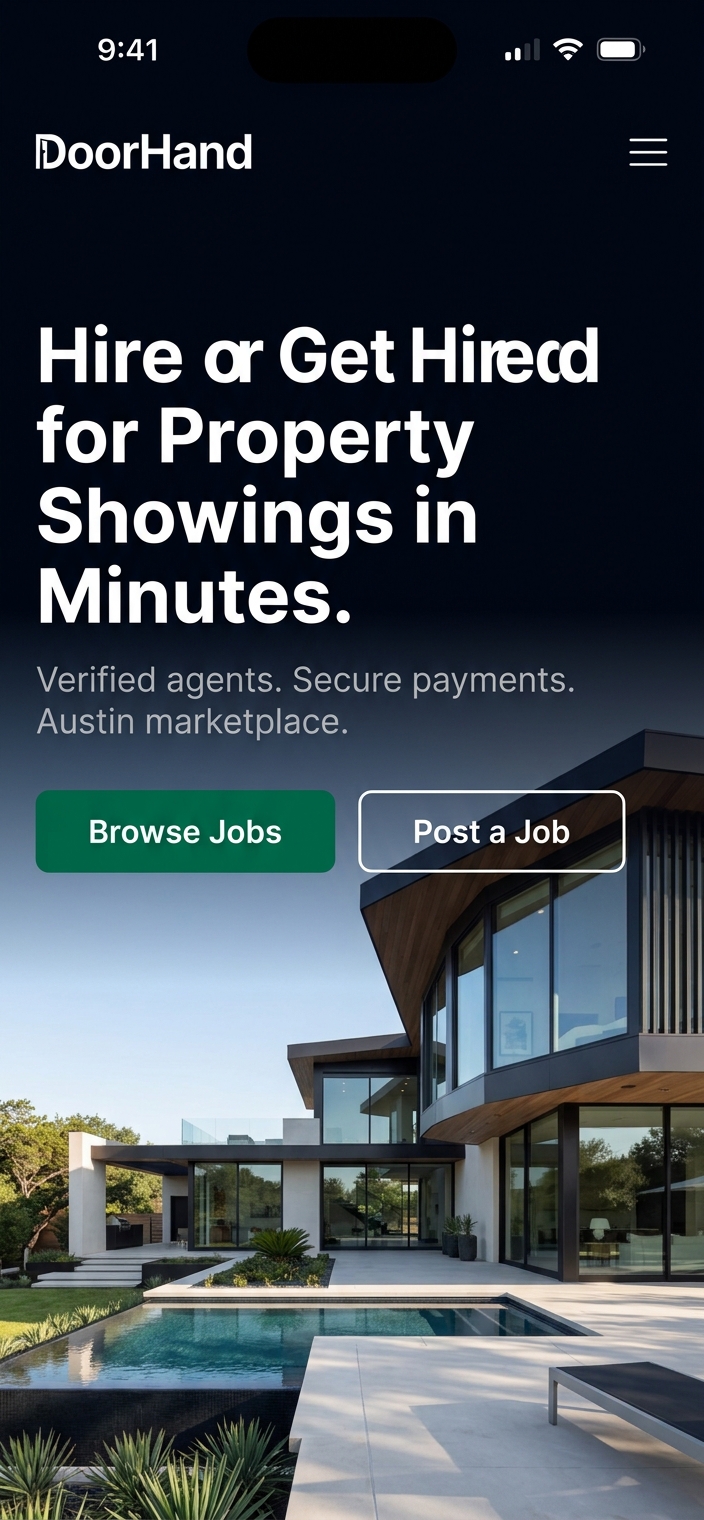
Bold Editorial Dark
Dark navy full-bleed hero with luxury property photo. White headline, emerald CTAs. Premium magazine feel.
Best for: Building trust with listing agents
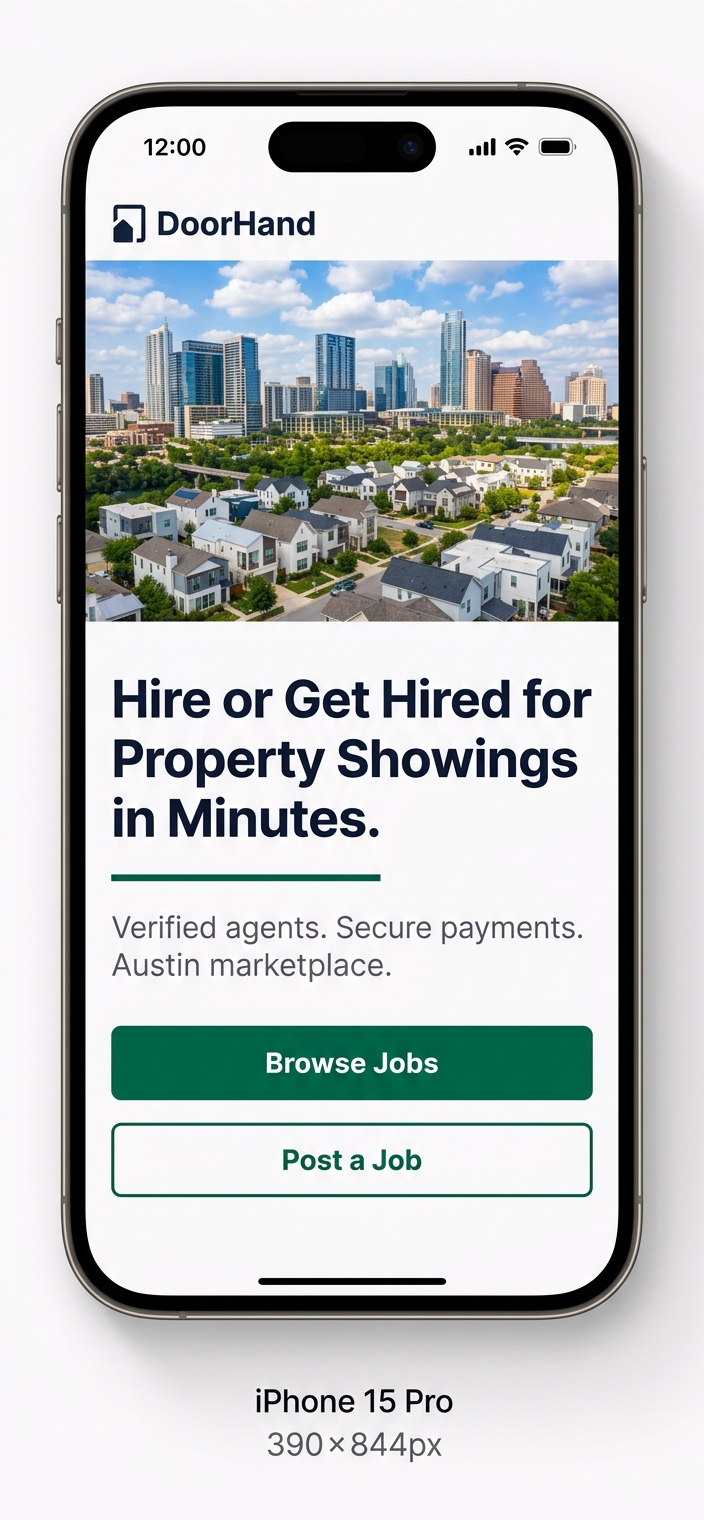
Light & Airy Skyline
Bright white background with Austin skyline. Navy headline with emerald accent. Stacked full-width CTAs.
Best for: Broader appeal, outdoor mobile browsing
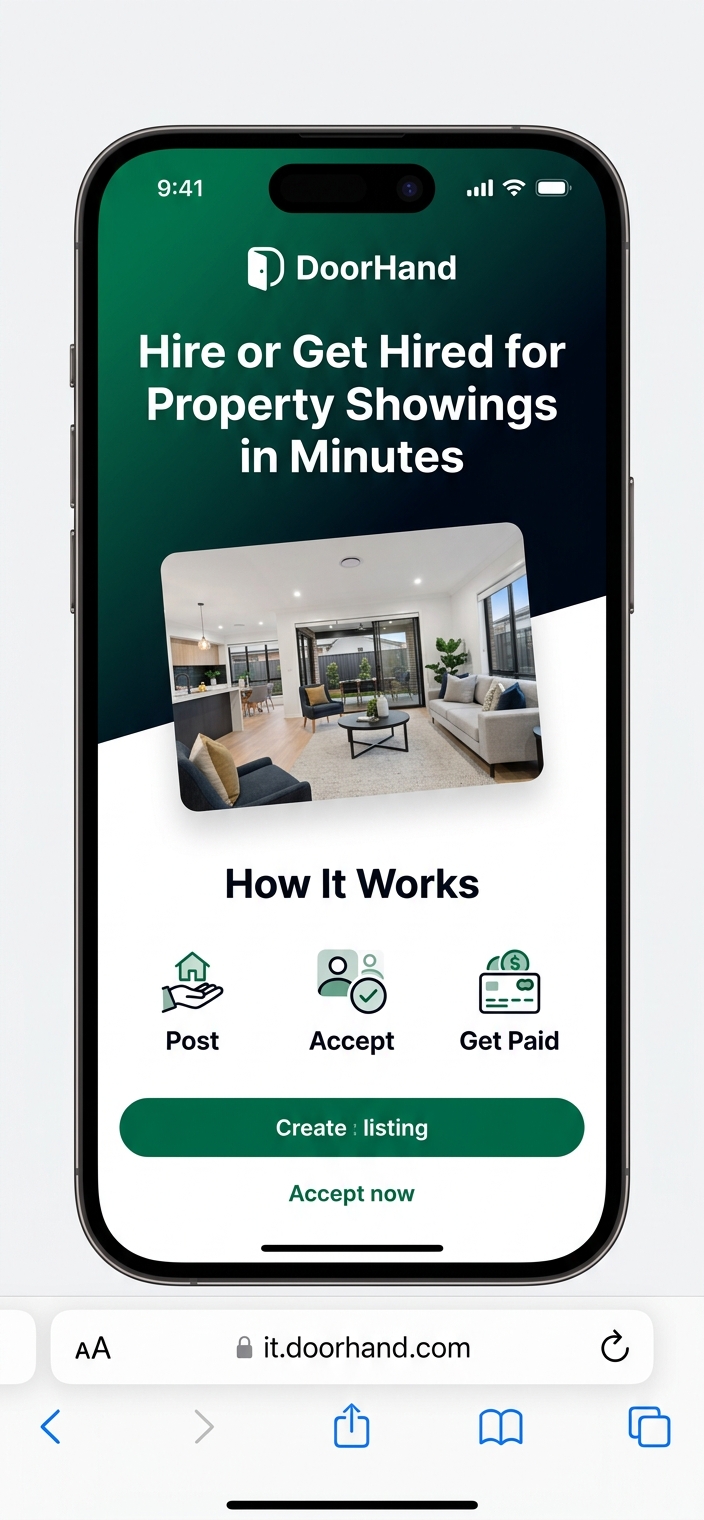
Split Gradient + How It Works
Emerald-to-navy gradient top, white bottom. "How It Works" visible above fold. Dynamic startup energy.
Best for: First-time visitors understanding DoorHand in 5s
Marketplace Feed
The most critical screen. Goal: scroll, decide, accept within 10 seconds.
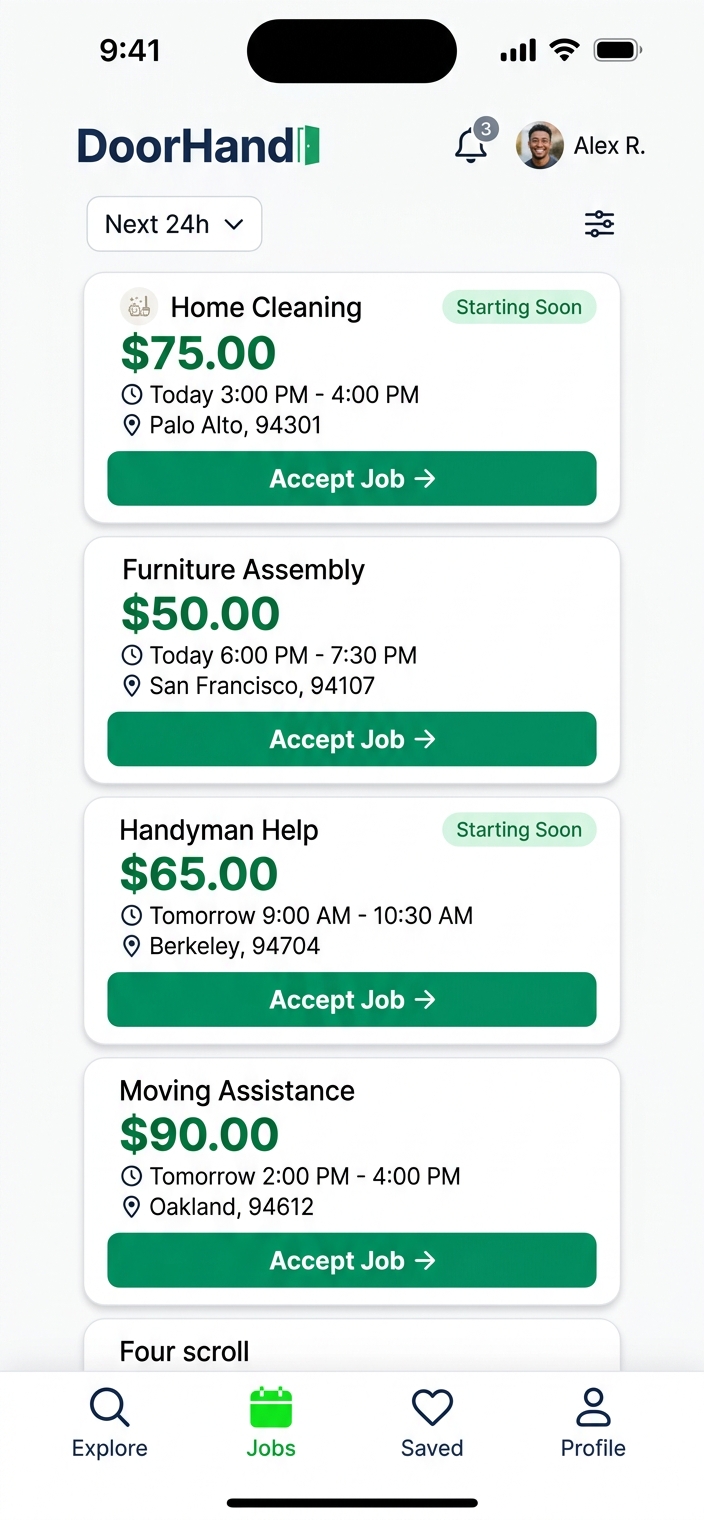
Card Stack (Scrollable List)
Vertical scrolling cards with bold payouts, "Starting Soon" badges, full-width Accept buttons. DoorDash-like familiar pattern.
Best for: Comparing multiple jobs quickly
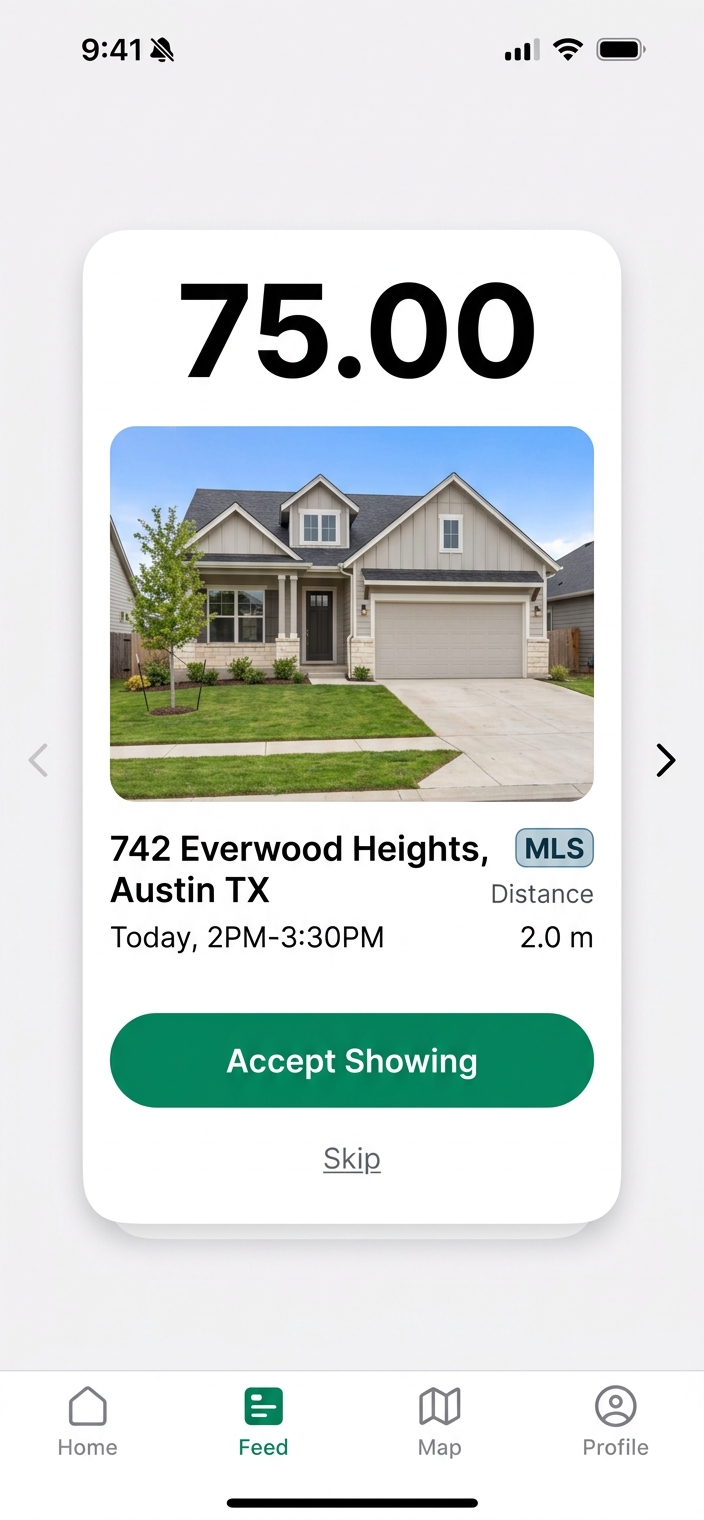
Swipe Cards (Tinder-style)
Single large card centered. Huge payout, property photo, one-tap Accept or Skip. Forces instant decisions.
Best for: Speed-to-accept optimization
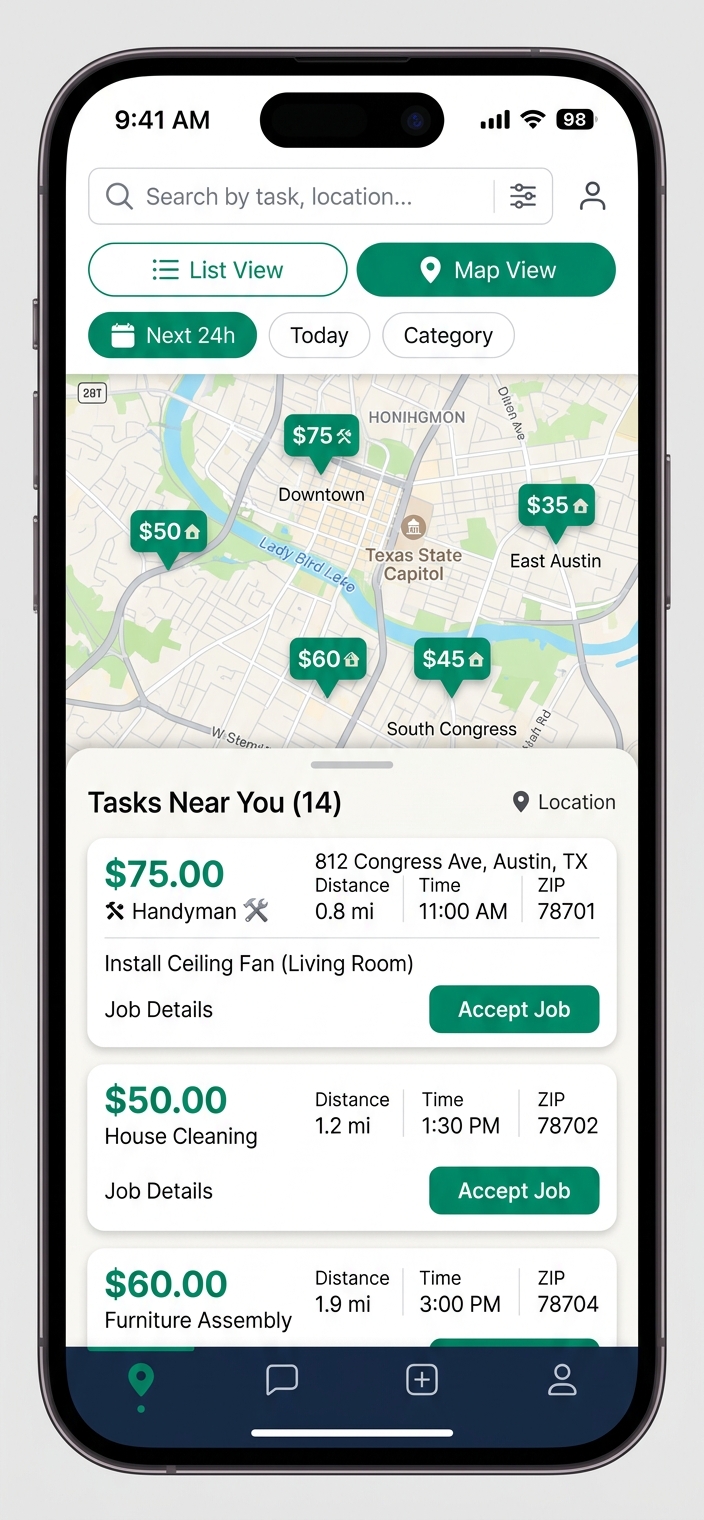
Map + List Split
Austin map with price pins on top, scrollable task list below. List/Map toggle + filters for location-aware browsing.
Best for: Route efficiency and proximity planning
Job Detail
Minimal info, maximum clarity. Money first, action last.
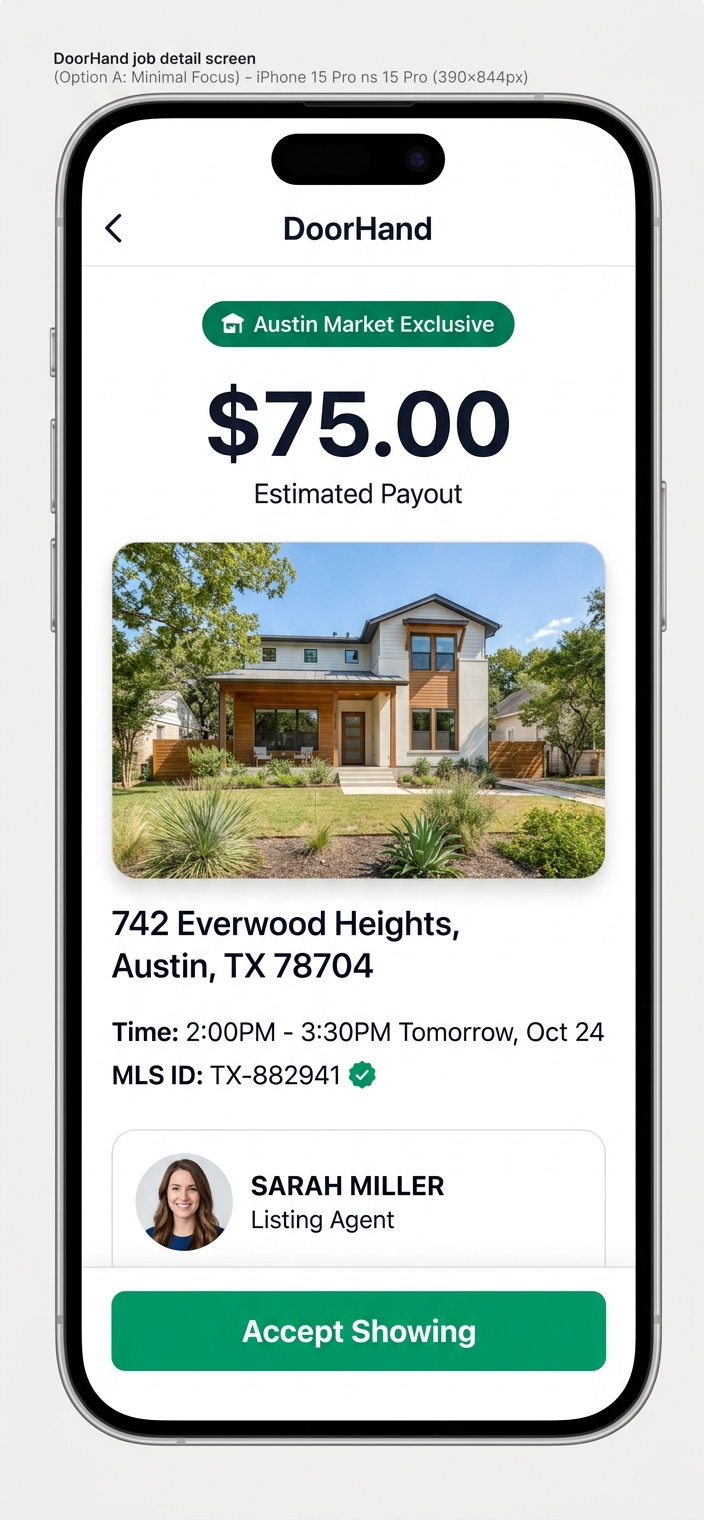
Minimal Focus
Clean white. Big $75 payout, property photo, address, time, MLS badge, agent card. Full-width Accept at bottom. Zero clutter.
Best for: Fast acceptance, minimal cognitive load
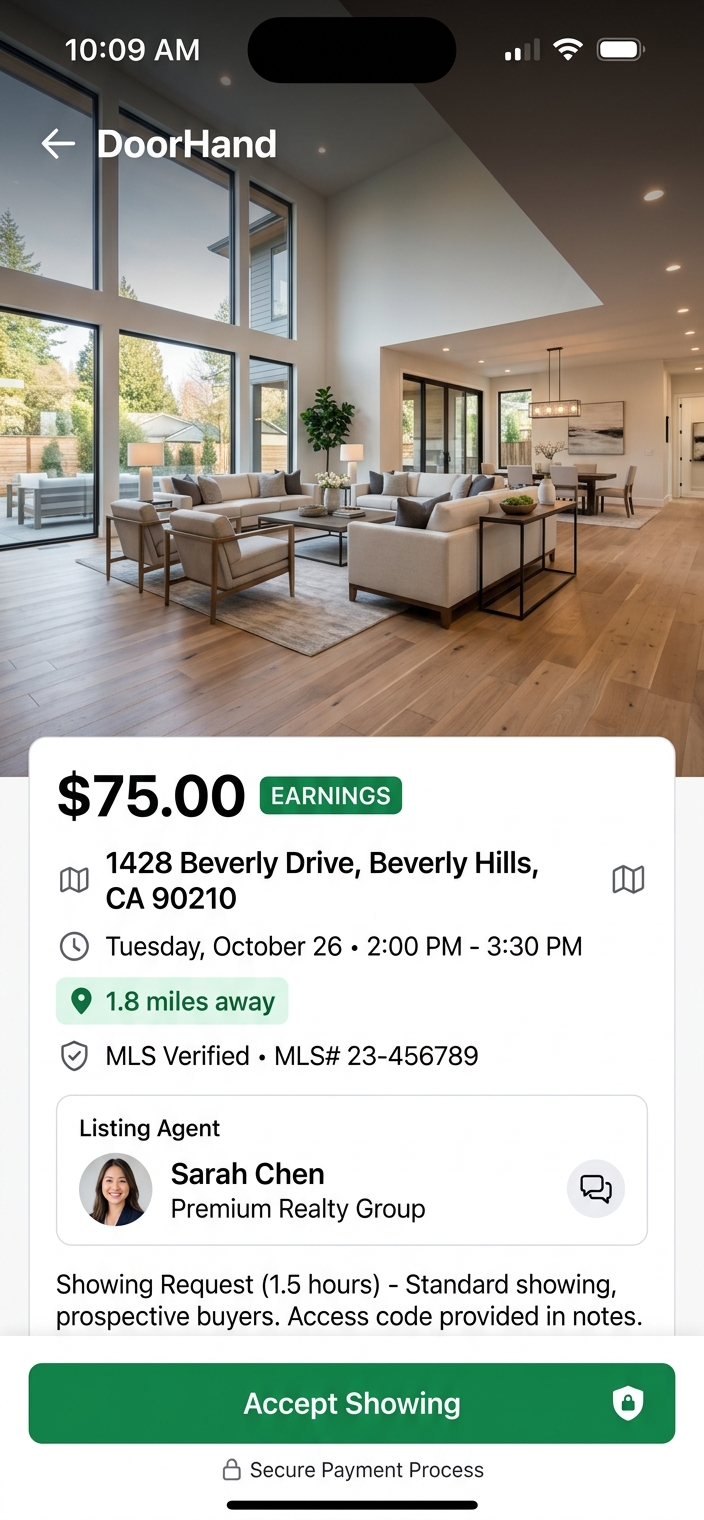
Hero Photo
Full-bleed interior photo (top 45%). Dark gradient overlay. Payout + details below. Sticky Accept with secure payment badge.
Best for: Higher-value showings, premium feel
Create Job Wizard
Post a showing in under 60 seconds. MLS auto-fill, quick time presets.
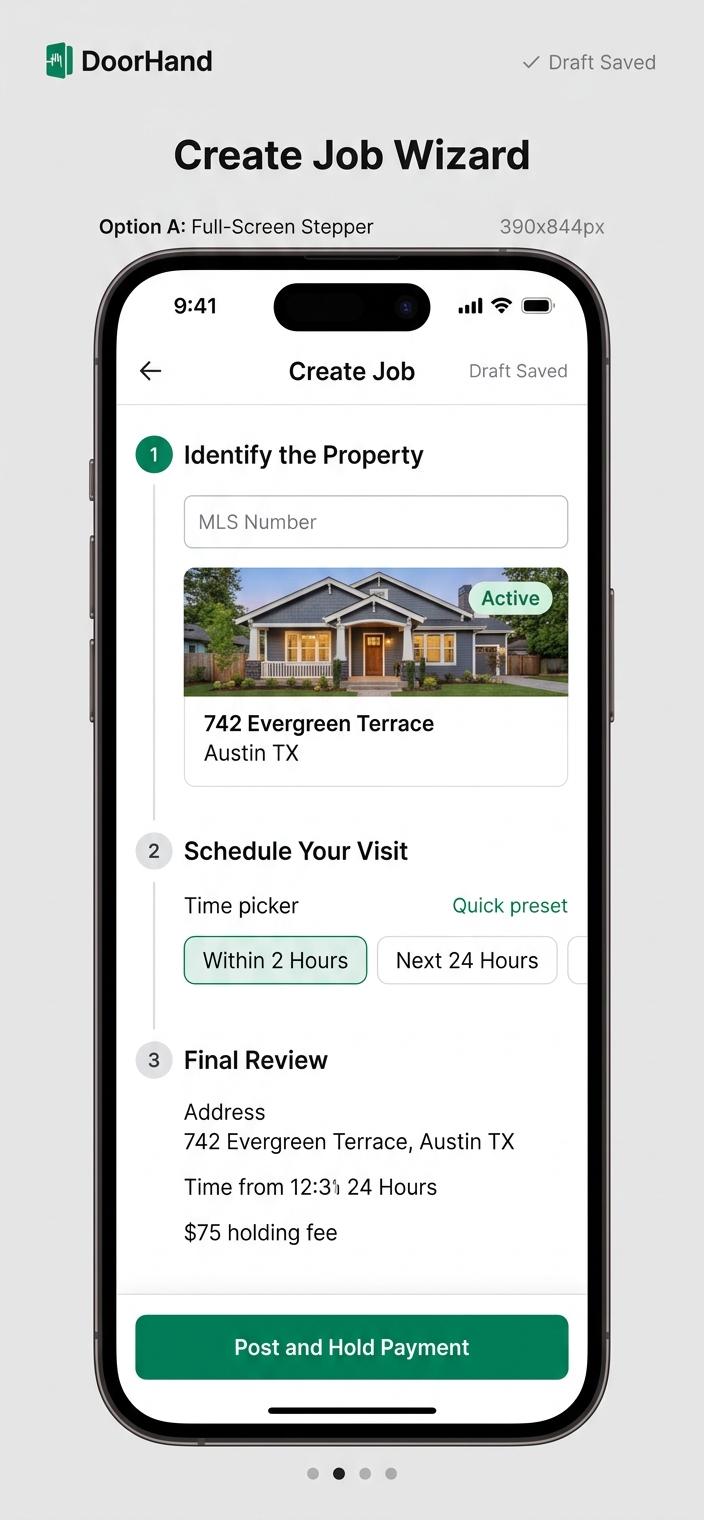
Full-Screen Stepper
All 3 steps visible on one scroll: MLS input, time picker with presets, review + payment. Draft auto-save.
Best for: Power users, see everything at once
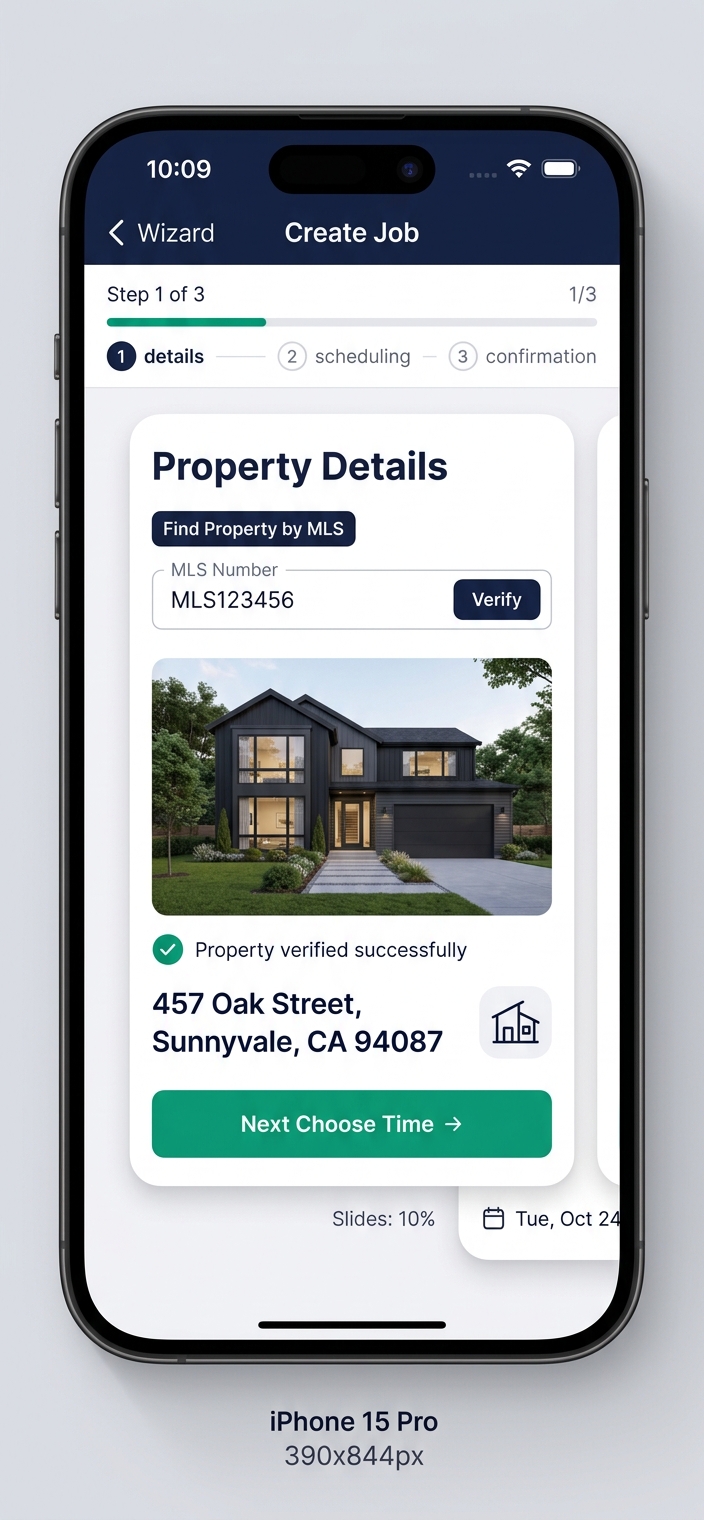
Slide Card Steps
One-step-at-a-time with sliding cards. Dark header with progress. Focused MLS verification with property preview.
Best for: New users, guided hand-held experience
Authentication
Fast login, trust-first registration. Single MLS field reduces friction.
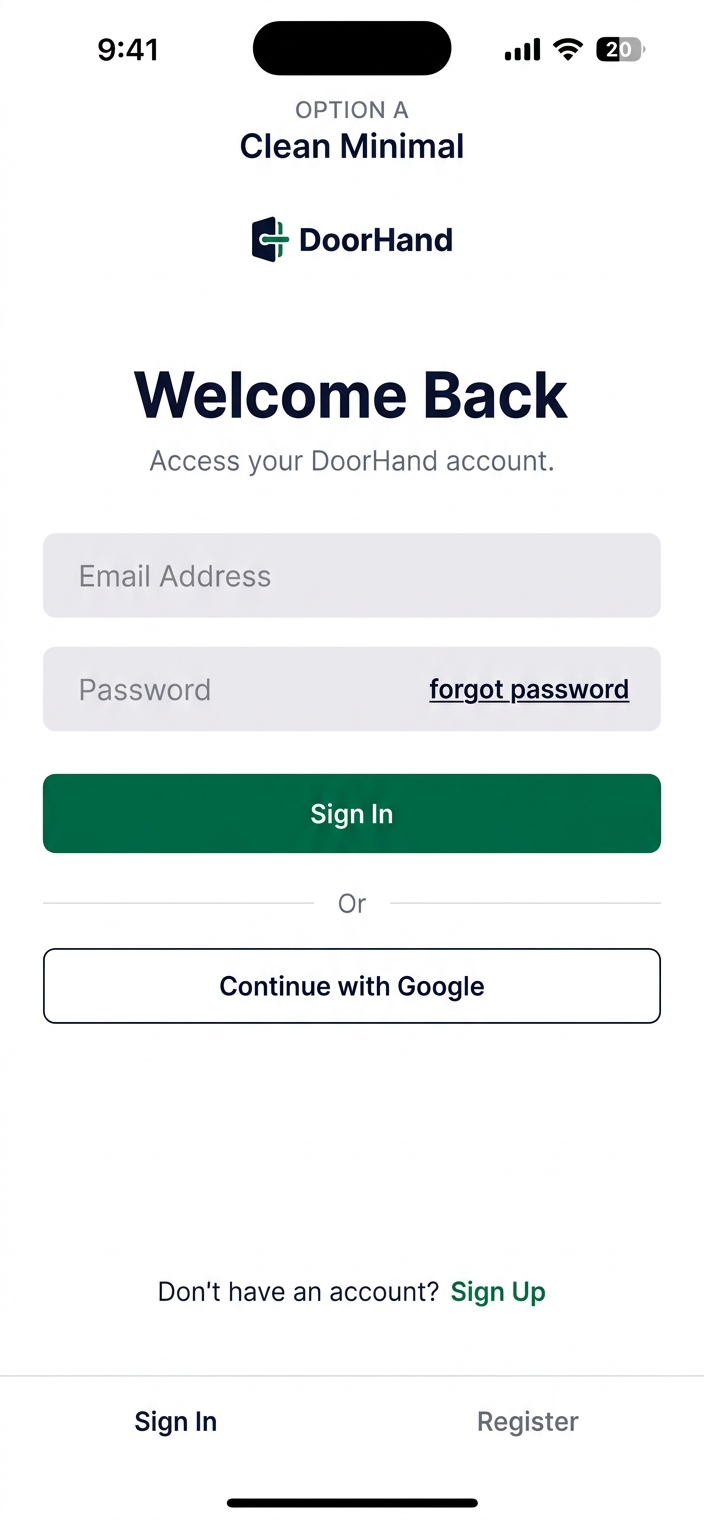
Clean Minimal
Bold "Welcome Back." Email + password fields, emerald Sign In, Google SSO. Bottom tabs for Sign In / Register.
Best for: Returning users, zero-friction login
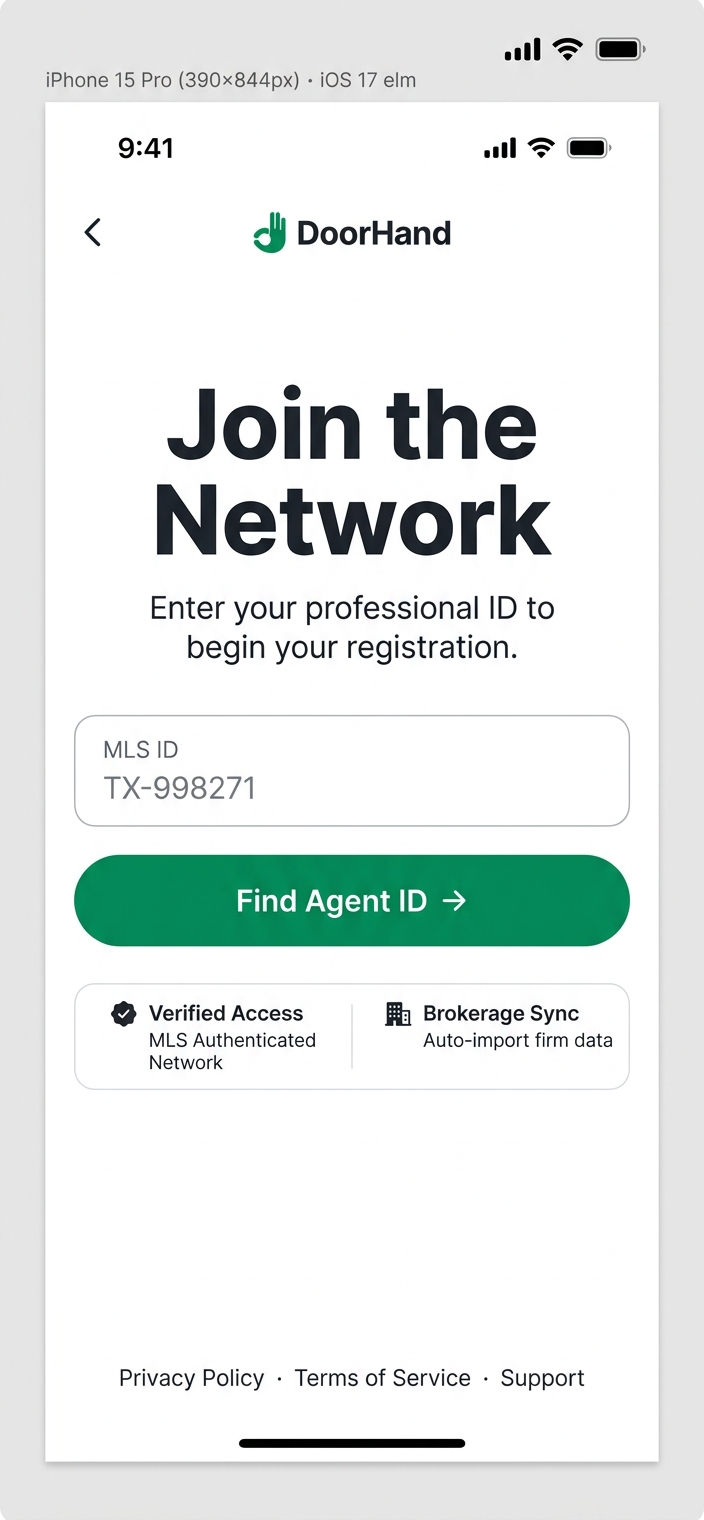
Join the Network
Single MLS ID field. "Find Agent ID" CTA. Trust badges: Verified Access + Brokerage Sync. Feels exclusive.
Best for: Agent onboarding, building trust
Trust & Onboarding
Convert skeptics. Activate new users in 10 seconds.
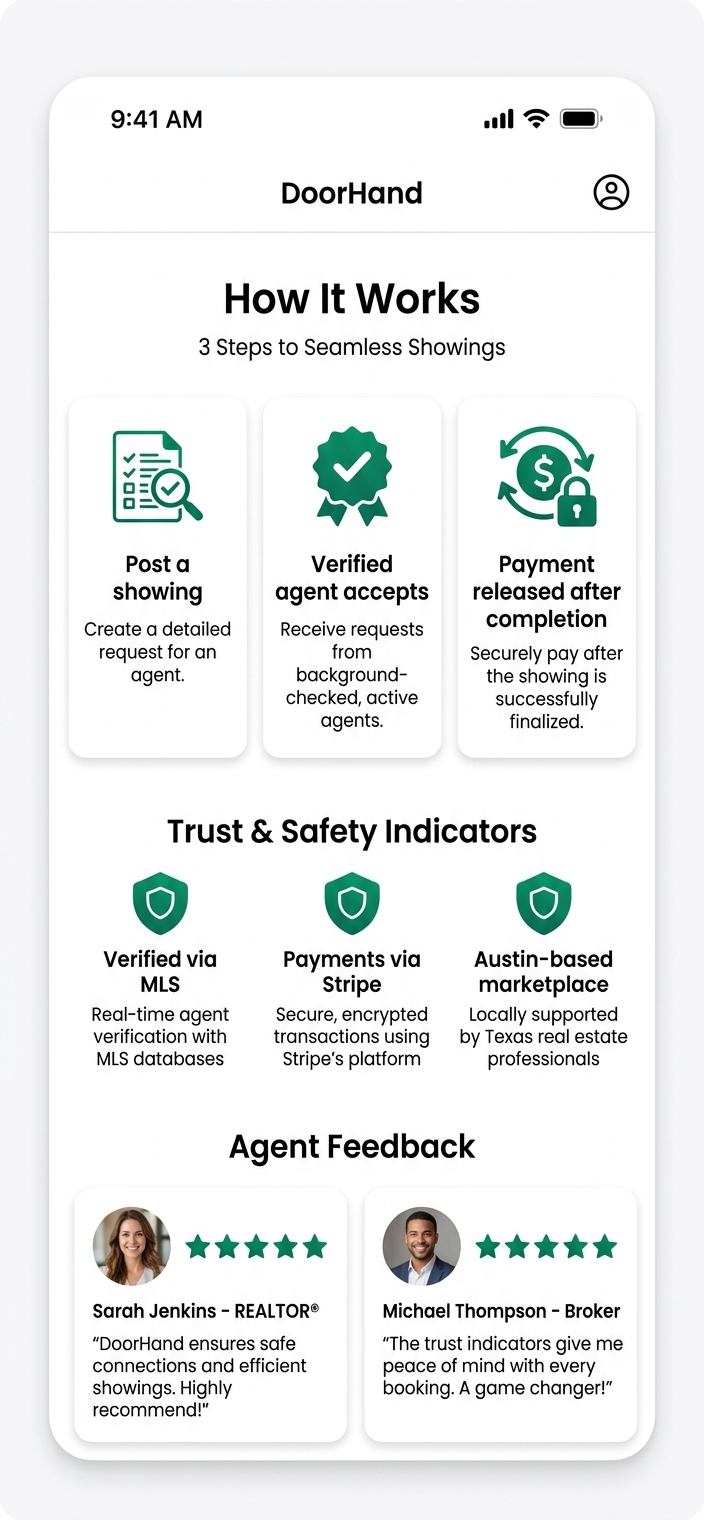
How It Works + Testimonials
3-step process icons, trust badges (MLS, Stripe, Austin-based), agent testimonial cards with ratings.
Best for: Homepage section converting skeptical visitors
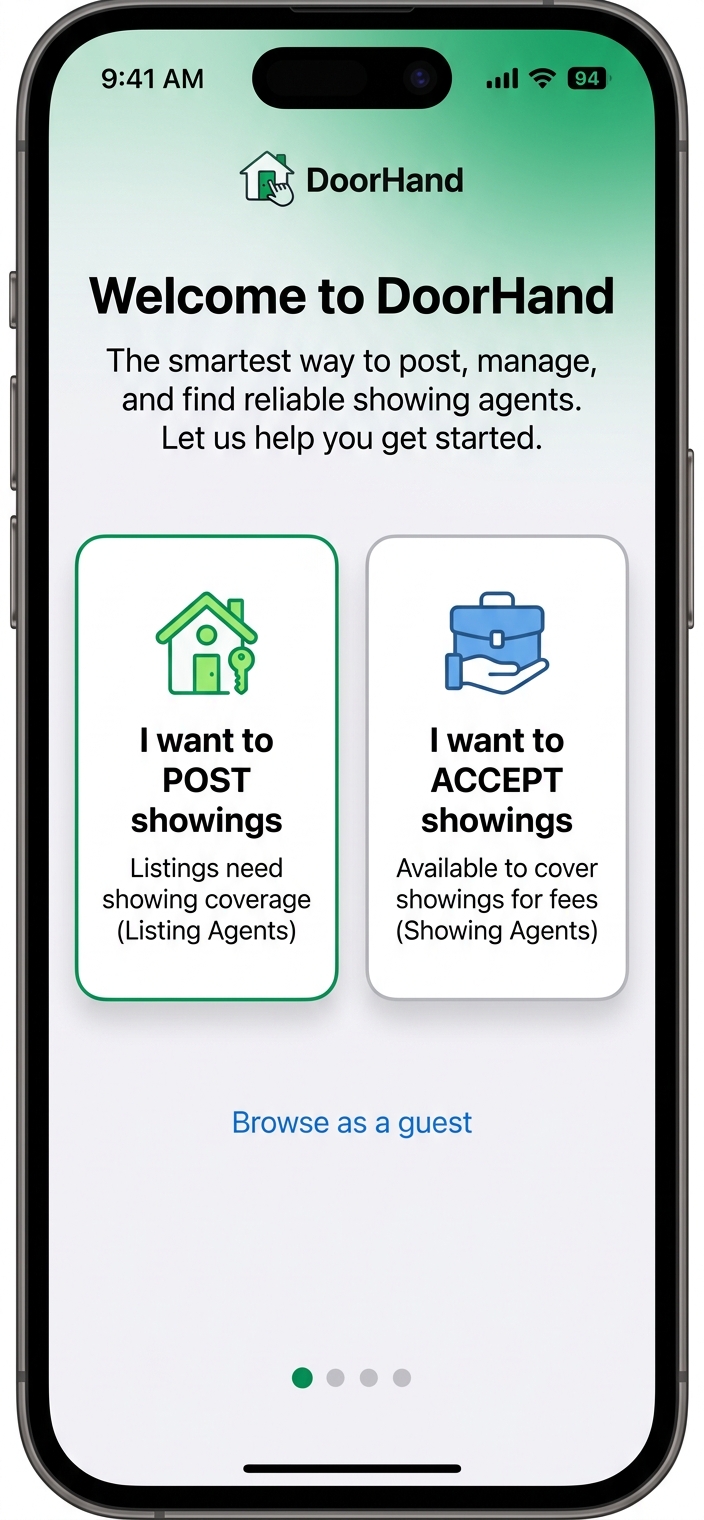
Role Selection Welcome
"Welcome to DoorHand" with two large cards: POST showings vs ACCEPT showings. Browse as guest option.
Best for: New user activation, instant path to value
Recommended Combinations
Three curated approaches based on different priorities.
Speed Demon
Optimize for acceptance speed
- Hero C — Split Gradient (value fast)
- Feed B — Swipe Cards (instant decisions)
- Detail A — Minimal Focus (zero clutter)
- Wizard A — Full Stepper (see everything)
- Onboarding B — Role Selection (fast activation)
Trust Builder
Optimize for conversion & signups
- Hero A — Bold Editorial (premium authority)
- Feed A — Card Stack (familiar, scannable)
- Detail B — Hero Photo (immersive)
- Wizard B — Slide Cards (guided)
- Trust A — Full trust + testimonials
Balanced
Best of both worlds
- Hero B — Light & Airy (approachable)
- Feed C — Map Split (location-aware)
- Detail A — Minimal Focus
- Wizard A — Full Stepper
- Onboarding B + Trust A — Role select + trust